
Name-Based Case Searches
Every court handles party-name lookups its own way. PeachCourt support describes a criminal docket search by case number or party name, but only after login. The public Magistrate civil portal is different, with separate fields for last name and first name. Neither system promises that loose spellings, wildcards, or broad date ranges will work across all Peach County courts.
- Identify Superior, Probate, Magistrate, Juvenile, Byron Municipal, or Fort Valley Municipal as the custodian.
- Open that court’s official portal, or contact its clerk if no public search is available.
- Enter the last name and first name exactly when separate fields appear.
- Add a court, file type, or known date only when the actual system offers that control.
- Open the likely match and compare its case number, court, dates, and status.
The Magistrate screen offers the fullest set of anonymous search fields. Do not assume PeachCourt, Icon, Probate, or the city systems match it.
| Field Label | Type | Required | Notes |
|---|---|---|---|
| County | Dropdown | Yes | Select PEACH in the Magistrate civil search. |
| Last / First Name | Text | No | Party-name inputs; retry a known spelling before drawing a conclusion. |
| File Type | Dropdown | No | Narrows the listed civil filing categories. |
| Case Number | Text | No | Use the court’s punctuation when known. |
| Date ranges | Date | No | File, judgment, and disposition from/to fields are separate. |
Start a Peach County Docket Search
Search by court, not by county alone. A felony starts with the Peach County Superior Clerk. So does a divorce, equity case, or land-title dispute. Probate handles wills, estates, guardianships, permits, and county misdemeanor traffic. Small claims and dispossessories belong to Magistrate. So do garnishments, foreclosures, and ordinance cases. City citations stay with Byron or Fort Valley Municipal Court unless the case transfers.
Best first move: Use the issuing court, case type, and city on the notice to choose the custodian before typing a name.
Juvenile matters are restricted, and JDEX serves authorized users only. Federal cases from Peach County go through PACER and the federal clerks, never a county portal. Working court-first avoids the blank results that come from searching the wrong database.
Peach County PeachCourt Registration
Georgia Courts’ E-Access directory routes Peach Superior users to PeachCourt. Live searching there requires an account. Registration asks for a name, email, and password. It also wants a secret question and answer, a reCAPTCHA, and agreement to the terms. The support instructions point to Search, then Cases. You select county and court there before entering an exact case number.
The PeachCourt registration screen shows the account gate. That gate stands before any Peach County docket search.
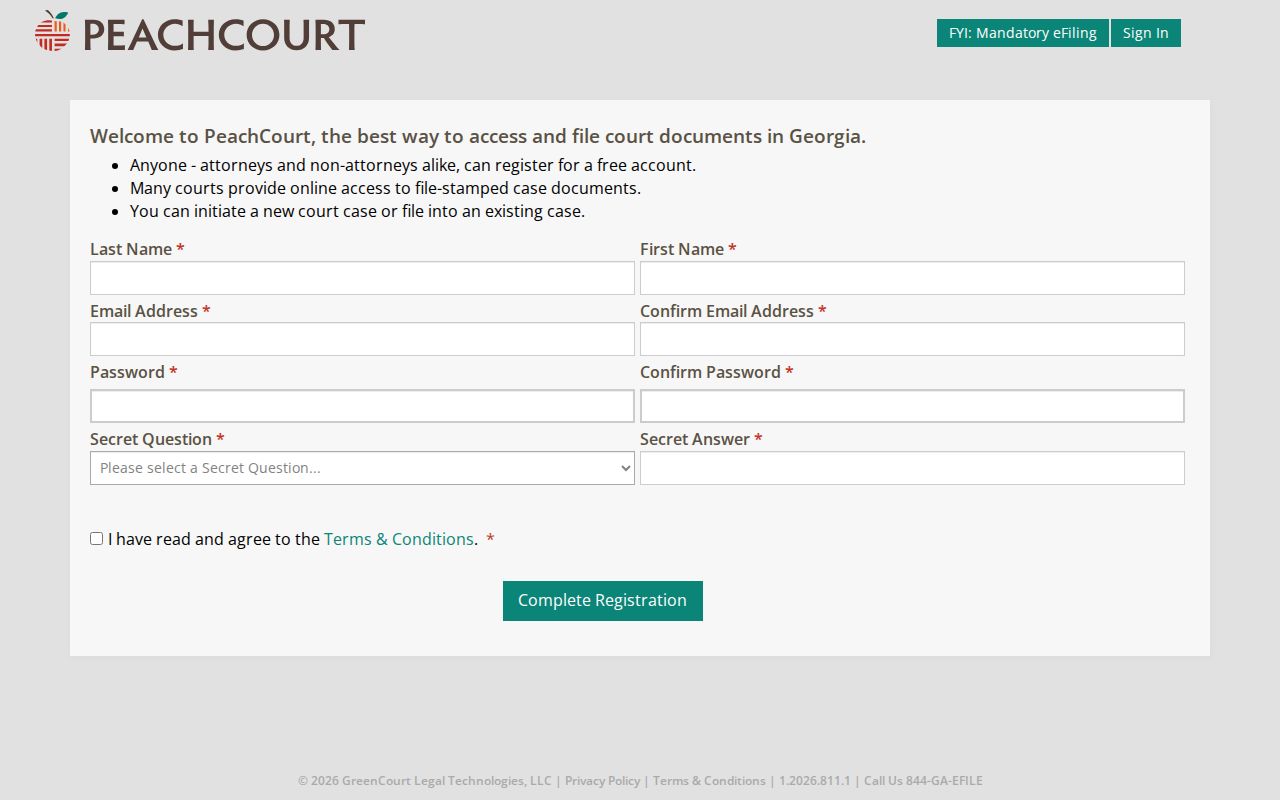
Those visible fields explain why an unauthenticated result should not be expected from this route. Registration unlocks search features. It still does not turn a vendor screen into a certified clerk record.
Case Number Searches
Local sample calendars show hyphenated Superior patterns. Civil entries look like YY-V-NNNN, and criminal entries look like YY-CR-NNN. Unindicted or misdemeanor-style entries look like YY-CM-NNN. These formats come from official samples as recognition aids. The clerk publishes no complete code dictionary.
Keep the year, letters, hyphens, and sequence intact. PeachCourt support warns that case numbers must match the exact format. When a search fails, compare the number against the notice, calendar, or filing stamp. Then confirm that Peach County and the correct court are selected. Never add digits or recast one court’s number to look like another’s.
Peach County Magistrate Search Filters
The Georgia Magistrate Records portal offers a public Peach County civil filing search. No PeachCourt account gate stands in the way. File types include Statement of Claim, Dispossessory, and Garnishment. Foreclosure, Abandoned Property, Abandoned Vehicle, Interrogatories, and Mechanic’s Lien also appear. Other tabs cover ordinance violations, deposit account fraud, and arrest warrants.
Start with the exact case number or a distinctive last name. Select PEACH as the county. Add a file type only for a known claim. Treat file, judgment, or disposition dates as separate filters. A narrow but wrong date can hide a valid record. The file type works as a search tool, not merely a result label.
This public form covers Magistrate only. It does not reach Superior, Probate, Juvenile, or municipal dockets. For counter or mail copies, contact the Magistrate. The address is 700 Spruce Street, Wing A, Fort Valley, GA 31030. Call 478-825-2060.
Case Search Results Explained
How much detail comes back depends on the court and its data. PeachCourt says a criminal case information page may list the assigned judge, status, attorneys, charges, disposition and date, co-defendants, calendar events, docket proceedings, and document links. Fields vary by court.
| Case Number | The court identifier, including the local punctuation shown in the source record. |
|---|---|
| Parties | Names or case style used to distinguish the matter. |
| Case Type | The civil, criminal, or other category supplied by the court. |
| Filed Date | The date the case or filing was received. |
| Status | An open, closed, disposed, or other court-supplied state. |
| Events | Calendar settings and docket proceedings when the court sends them. |
A document link adds a separate layer. The docket describes activity. An image shows the filed item. A certified copy comes only from the clerk. Sealed documents, adoption records, and unexecuted proposed orders stay out of PeachCourt’s public document service.
Peach County Docket Login Controls
The Peach Clerk’s own Icon Case Management link opens a credential screen. Its visible controls are UserID, UserPassword, Remember User Name, and Log In. An invalid-credential status message sits in the page source. Before login, nothing anonymous appears there. There is no anonymous name field, case-number field, date filter, or result sample.
The PeachCourt access screen offers a separate email-and-password route.
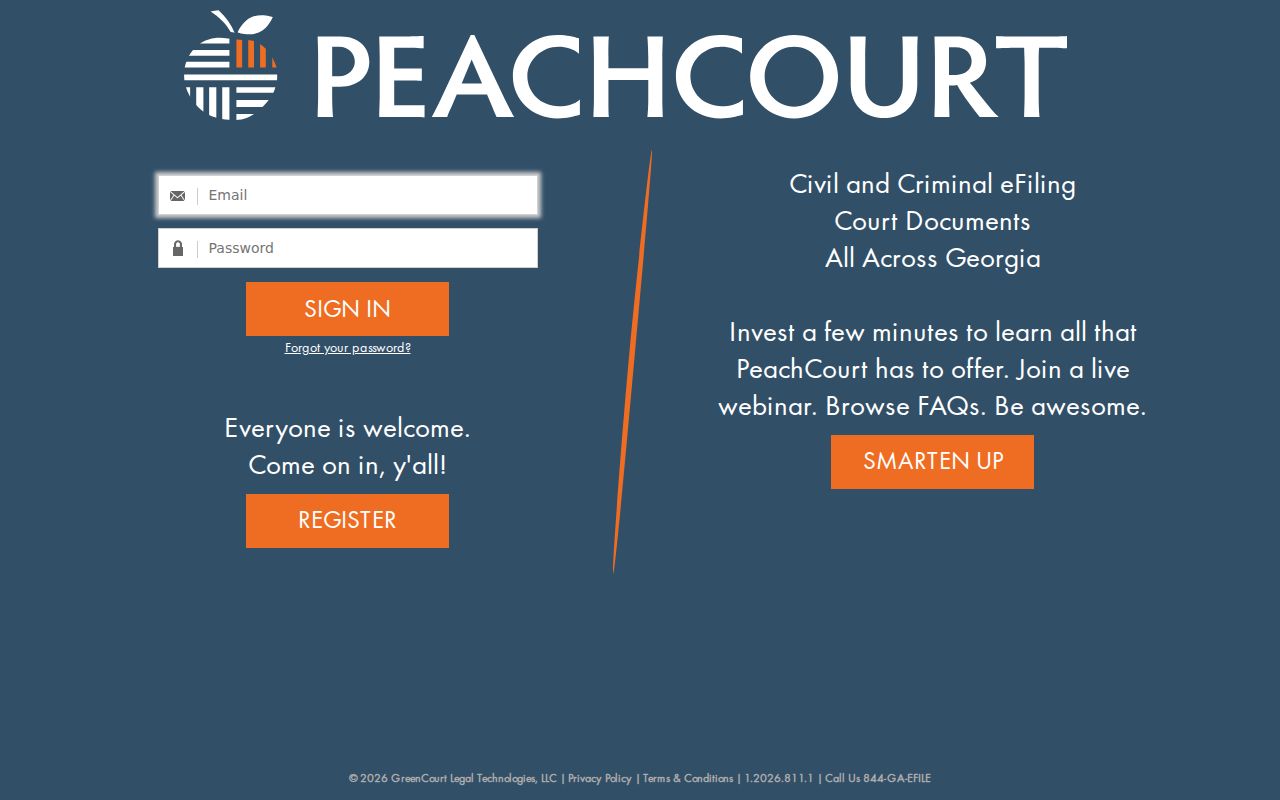
That screen confirms the account requirement. Anyone without Icon credentials can register for PeachCourt instead. The Superior Clerk can also be reached at 205 West Church Street, P.O. Box 389, Fort Valley, GA 31030, by phone at 478-825-5331, or by fax at 478-825-8662.
Two Ways to Search: County and State
Georgia offers no single statewide public name search that merges every Peach County court. The state E-Access page works as a directory and sends Peach Superior users to PeachCourt. Lower courts and the municipalities keep separate systems and offices.
| Georgia E-Access Route | Peach County Court Routes |
|---|---|
| Directory for participating courts | Separate Superior, Magistrate, Probate, Juvenile, and city custodians |
| Routes Peach Superior to PeachCourt | Magistrate has a distinct public civil portal |
| Does not merge all local dockets | Clerks handle gaps, current status, and certified copies |
Not sure which Peach County office holds the case? The state directory is the safer starting point. When you already know the court, go straight to its portal. And when no public search covers the record type, or when you need word from an official, call the clerk.
Peach County Clerk Directory Check
The Georgia Superior Court Clerks’ Cooperative Authority directory lists the Peach County Superior Clerk. That entry also shows which courts the office manages. The official page spells this out.
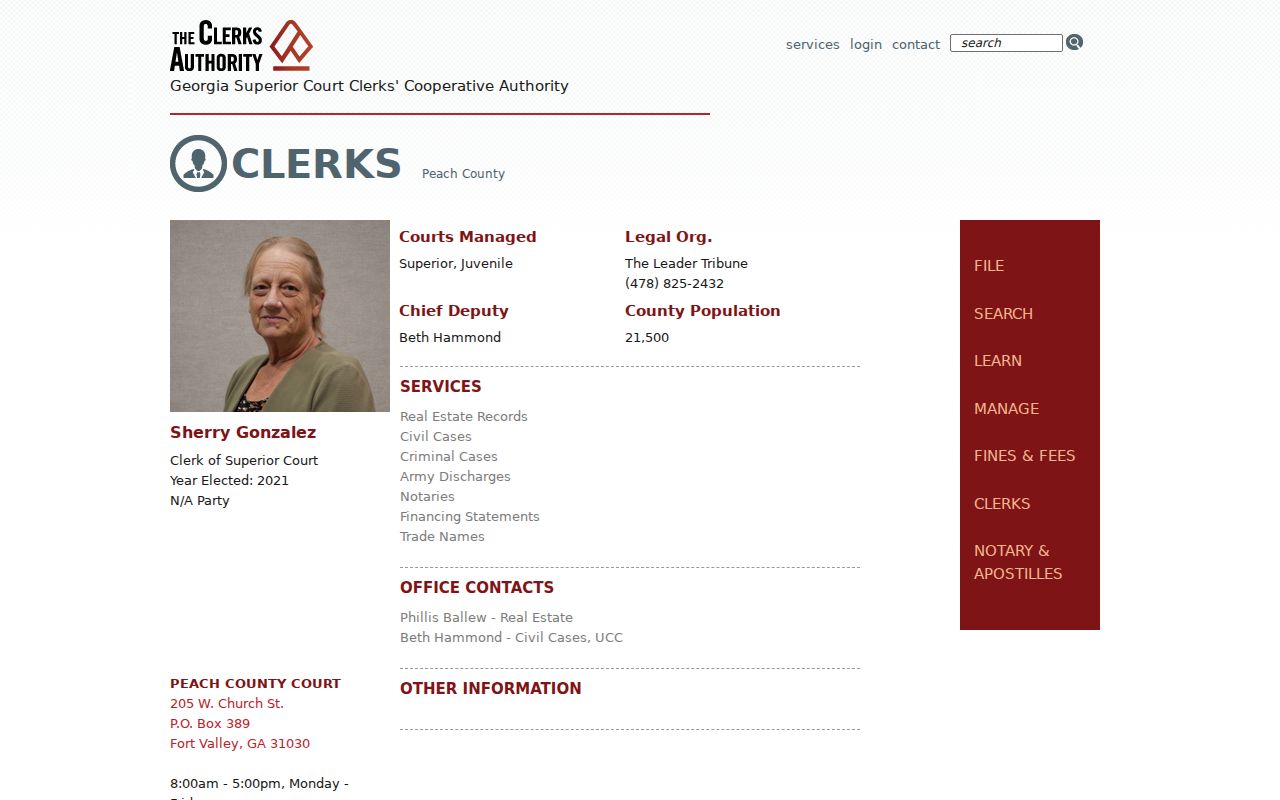
This directory is a solid fallback when a vendor search comes up empty or thin. It serves another purpose too. It keeps the Superior and Juvenile clerk distinct from the county administrative clerk, who keeps Board of Commissioners records instead of court dockets.
Fix a Peach County Blank Result
An empty screen is not the end of the story. It does not prove the case never existed. Start with the court itself. Then look hard at spelling, filing type, year, and hyphens. A Superior matter will never surface in the Magistrate civil portal. A city citation tool may show payment eligibility without exposing a complete docket. Call the clerk with details in hand. Have the party name, approximate filing year, case type, citation or case number, and the specific record sought ready. Ask whether the file is sealed or juvenile. Also ask whether it was never digitized, or stored as a document behind an access charge. Each answer points to a different next step. If the trouble is a hearing date, start here. The Peach County court schedule explains how to confirm the current setting.
Which Cases Stay Restricted
The Georgia Open Records Act and court rules begin with a strong presumption of public access. Still, that presumption has limits. Juvenile records are protected. A court may seal material under Uniform Superior Court Rule 21. Protected identifiers may also be removed. Certain exhibits need judicial approval before anyone inspects them. PeachCourt also keeps sealed and adoption documents out of its public purchase service. A name missing from a docket search can mean restriction, redaction, delayed entry, the wrong court, or an old paper file. It is not proof of a person’s history. Ask the responsible clerk what can be released. Ask what public docket information exists, and what authority stands behind any denial. Only the court itself can grant lawful access to restricted material.
Peach County Results and Certified Records
A docket search result helps you locate and understand a case. It is not the certified copy. PeachCourt itself sends copy questions to the clerk, and document availability may vary. The responsible clerk can confirm a filing or a current setting. The clerk can also confirm a disposition. And the clerk can say whether a plain or certified copy can be issued. Use the portal to find the case, then go to the clerk for legal proof. Superior requests belong with the Clerk of Superior Court. Magistrate, Probate, Byron Municipal, and Fort Valley Municipal records stay with their own clerks. Phone, fax, mail, and counter service still matter. No single database holds the whole Peach County docket.
Peach County Docket Access Channels
Peach County offers several online routes. PeachCourt covers Superior matters. A credentialed Icon screen exists, and the Magistrate civil search is public. Each clerk also handles requests in person or by phone. The Superior office publishes a postal address and fax, Magistrate expressly supports counter and mail filing, and Probate plus the municipal clerks publish direct contact routes. Georgia electronic-filing standards define a free public access terminal. But no official Peach County source confirms where such a terminal sits or what it covers. Call before visiting for that purpose. The Georgia Open Records Act permits oral or written requests, though a written request makes the record sought, and the response, easier to track. Send it to the court custodian rather than the county administrative clerk.